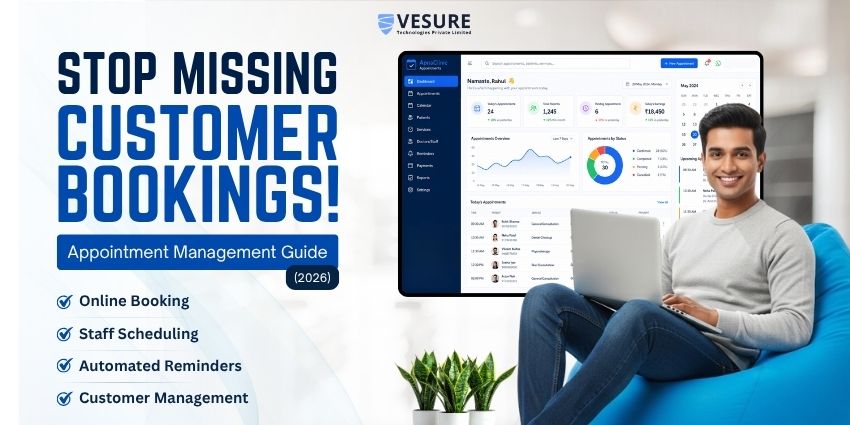
Managing appointments should not take more time than delivering your service. Yet many small business owners still coordinate bookings through phone calls, WhatsApp messages, spreadsheets, and paper diaries. As customer numbers grow, keeping track of available slots, staff schedules, cancellations, and follow-ups becomes increasingly difficult.
An appointment scheduling system helps bring these activities into one organized workflow. Customers can check availability and book appointments online, while business owners can manage their schedules, send reminders, and keep customer information accessible.
But which appointment scheduling system is right for your business? The answer depends on your appointment volume, team size, budget, services, and the way you interact with customers.
This guide compares popular appointment scheduling software, explains the features worth prioritizing, and shows how to choose a system that fits your business in India.
Best Appointment Scheduling Systems for Small Businesses at a Glance
Different appointment scheduling tools serve different needs. Some focus on sharing meeting links, while others support service-based bookings, customer management, payments, and staff scheduling.
| Software | Best suited for | What to evaluate |
|---|---|---|
| VeSure AMS | Small service businesses looking for appointment management | Online booking, staff schedules, calendar sync, customer records, reminders, and payments |
| Calendly | Consultants and professionals scheduling meetings | Calendar availability, meeting workflows, and integrations |
| Zoho Bookings | Businesses already using Zoho applications | Staff scheduling, calendar management, and integration with the wider Zoho ecosystem |
| Setmore | Small teams looking for a straightforward booking tool | Booking pages, team scheduling, payment options, and plan limits |
| Acuity Scheduling | Service providers offering paid or recurring appointments | Intake forms, payment collection, appointment types, and client workflows |
| SimplyBook.me | Service businesses needing configurable booking workflows | Service booking options, integrations, and available plan features |
Note: This is a shortlist of tools to evaluate, not a hands-on ranking. Features, integrations, and prices can vary by plan, region, and product updates. Confirm the current details on each provider's official website before making a decision.
What Is an Appointment Scheduling System?
An appointment scheduling system is software that helps businesses organize bookings, manage available time slots, and coordinate appointments with customers.
Instead of responding to every booking request manually, a business can use an online booking page or scheduling interface where customers select an available time. Depending on the software, the system may also send confirmations and reminders, synchronize calendars, collect payments, and maintain customer appointment histories.
For example, an independent consultant could share a booking link with prospective clients. Customers could select an available consultation slot without exchanging several messages. The consultant could then manage upcoming appointments from a central dashboard.
An appointment scheduling system can be useful for businesses such as:
-
Consultants, coaches, and tutors
-
Fitness trainers and wellness professionals
-
Repair and home-service providers
-
Salons, spas, and beauty professionals
-
Clinics and other appointment-based service providers
-
Training centres and educational service businesses
The right system should simplify the booking process without introducing unnecessary complexity.
Why Small Businesses Need Appointment Scheduling Software
Manual scheduling can work when appointment volumes are low. However, as a business grows, coordinating bookings becomes more demanding.
1. Reduce manual coordination
Phone calls and messages often require several exchanges before an appointment is confirmed. Online booking lets customers choose from available time slots, reducing routine back-and-forth communication.
2. Keep availability organized
When multiple staff members handle appointments, it becomes harder to track who is available and when. A scheduling system can provide a shared view of bookings and availability, depending on its capabilities.
3. Make appointments easier for customers
Customers may want to book outside your business hours. An online booking page allows them to check available slots and submit requests without waiting for someone to answer the phone.
4. Manage changes more consistently
Cancellations and rescheduling can create gaps in the calendar. A suitable system makes it easier to update appointments and keep the schedule accurate.
5. Improve appointment communication
Automated confirmations and reminders help customers keep track of their bookings. They also reduce the need for staff to send every message manually.
6. Support business growth
As your customer base expands, you may need to manage additional staff, services, or locations. Choosing software that can accommodate those requirements can reduce the disruption of switching systems later.
Essential Features to Look for in an Appointment Scheduling System
Not every business needs an advanced booking platform. Before comparing providers, identify the features that will solve your current scheduling problems.
1. Online appointment booking
Look for a customer-facing booking page that displays available time slots and makes it straightforward to schedule an appointment.
Check whether you can share a direct booking link or embed a booking option on your website. A mobile-friendly experience is especially important when customers commonly discover and contact your business through their phones.
2. Staff and calendar management
If more than one person delivers your services, check whether the software can manage individual staff availability and appointments.
Calendar synchronization is also worth evaluating. Confirm which calendar applications are supported, whether synchronization works in one or both directions, and whether the required functionality is available on your selected plan.
3. Automated confirmations and reminders
Look for notifications that help customers and staff stay informed when an appointment is booked, changed, or cancelled.
Consider which communication channels are available, such as email and SMS. If your customers prefer WhatsApp, verify whether WhatsApp reminders are supported directly or require a separate integration.
4. Customer information and appointment history
A centralized customer record can help you find contact information, review previous appointments, and understand returning customers' service preferences.
The information you can store and access will vary by provider. Choose a system that captures what your team genuinely needs and has suitable privacy and access controls.
5. Payment collection
Some businesses only need to reserve a time slot. Others collect a deposit or full payment before providing a service.
If payments are important to your workflow, check supported payment gateways, transaction fees, payment timing, refund processes, and regional availability. For businesses operating in India, verify whether the payment methods your customers use are supported.
6. Cancellation, rescheduling, and booking rules
Your scheduling software should fit your policies. Check whether it lets you define booking windows, cancellation deadlines, advance-booking limits, or other rules relevant to your operations.
These controls are particularly useful when appointments require preparation or when last-minute changes affect staff utilization.
7. Reports and business visibility
Reports can help you understand booking patterns and make better operational decisions.
Depending on the software, useful information may include appointment volume, staff schedules, service demand, cancellations, and customer activity. Confirm which reports are available before choosing a plan.
8. Scalability and multiple locations
A solo professional may only need one calendar. A growing business may need multiple staff accounts, service categories, or locations.
Consider both your current requirements and likely next steps. Avoid paying for capabilities you will not use, but check that the software will not become restrictive as your business expands.
Popular Appointment Scheduling Software to Compare
There is no single best appointment scheduling system for every small business. The following options offer different approaches to booking and schedule management.
1. VeSure AMS — for service businesses needing appointment management
VeSure Appointment Management System (AMS) is designed for service-based businesses, including salons, clinics, spas, consultants, and fitness businesses.
Its published capabilities include online booking, appointment notifications, calendar synchronization, customer management, payment integration, analytics and reports, and no-show protection through reminders and advance payment options.
Consider VeSure AMS if you need:
-
Online appointment booking and availability management
-
A centralized view of appointments and customer information
-
Calendar synchronization
-
Appointment notifications and reminders
-
Payment integration and reporting options
Before choosing a plan, confirm the specific integrations, configuration options, and pricing that fit your business.
Explore the VeSure Appointment Management System or request a demo to assess whether it fits your workflow.
Before going to the next point you can also take a look for the Best Appointment Booking Software for Clinics & Salons
2. Calendly — for consultants and meeting-based businesses
Calendly is commonly used to coordinate meetings without lengthy email exchanges. It can be useful for consultants, coaches, and professionals who need to share availability and let clients select a meeting time.
Its suitability depends on the type of appointments you manage. Businesses that need service catalogs, extensive customer records, or operational scheduling for a service team should check whether Calendly covers those requirements before committing.
Visit the official Calendly website for current features and plans.
3. Zoho Bookings — for businesses using Zoho applications
Zoho Bookings is worth evaluating if your business already uses Zoho products and wants scheduling to fit into that software environment.
Review its staff scheduling, calendar connections, integrations, and plan limits. The value of this option will depend on how well its available features fit your existing workflow.
Visit the official Zoho Bookings website for current product information.
4. Setmore — for straightforward appointment booking
Setmore offers appointment booking tools for professionals and small teams. It is worth considering if you want a customer-facing booking page and a way to coordinate appointments without building a scheduling process from scratch.
Before choosing it, compare the available team features, calendar synchronization, notifications, payment options, and booking limits across plans.
Visit the official Setmore website for current details.
5. Acuity Scheduling — for paid and recurring services
Acuity Scheduling may suit businesses that need more than a simple meeting link, particularly when appointments involve service selection, client intake, advance payments, or recurring sessions.
Review the configuration effort, payment options, integrations, and subscription costs against the complexity of your booking process.
Visit the official Acuity Scheduling website for current details.
6. SimplyBook.me — for configurable service booking
SimplyBook.me is another option for service businesses that want configurable online booking workflows.
When evaluating it, check which service-booking features, notifications, integrations, and customization options are included in the relevant plan. Also consider whether the available configuration is easy for your team to maintain.
Visit the official SimplyBook.me website for current details.
How to Choose the Right Appointment Scheduling Software for Your Business
Comparing feature lists is useful, but the best choice is the system that fits the way your business actually operates.
Step 1: Identify your booking workflow
Write down how customers currently book, how you confirm appointments, who manages the calendar, and how cancellations are handled.
This will show you which parts of the process need improvement.
Step 2: Match the software to your business type
A consultant scheduling online meetings may need a simple booking link and calendar synchronization. A fitness trainer may need recurring sessions, while a business with several service providers may need individual staff schedules.
Choose the tool based on your real requirements rather than the length of its feature list.
Step 3: Calculate the total cost
Do not compare subscription prices alone. Check whether the price changes with the number of users, locations, bookings, or required features.
Also account for payment-processing fees, integrations, setup, training, and any additional messaging costs. Review current prices directly with providers because plans can change.
Step 4: Test the customer booking experience
If a trial or demo is available, make a test booking from a customer's perspective.
Check whether you can find the right service, choose a suitable time, receive confirmation, and make changes when permitted. A complicated booking process can undermine the value of the software.
Step 5: Check integrations and communication channels
Confirm that the system works with the calendars, payment providers, websites, and communication channels your business uses.
Do not assume that a provider supports every integration or that every integration is included in every plan.
Step 6: Review security and support
Customer information should be handled responsibly. Review the provider's privacy policy, access controls, data protection practices, and support arrangements.
If you operate in a regulated industry, check any additional requirements that apply to the information you collect.
Step 7: Think about future requirements
If you expect to add staff, services, or locations, verify that the software can accommodate those changes.
Choose a system that meets your needs today without making reasonable growth unnecessarily difficult.
Common Mistakes to Avoid When Choosing Appointment Software
Choosing based only on price. A low-cost plan may lack an essential feature or impose booking and user limits. Compare the total cost with the functionality you need.
Paying for features you will not use. Complex automation and extensive integrations are not essential for every small business. Start with your actual workflow.
Ignoring mobile usability. Test the booking process on a phone as well as a computer.
Overlooking cancellation rules. Make sure the system can support the booking policies your business follows.
Assuming integrations are included. Verify calendar connections, payment gateways, and messaging features for the exact plan you are considering.
Skipping staff training. Even suitable software can create confusion if employees do not know how to update availability, handle cancellations, or manage customer records.
Failing to check data handling. Understand how customer information is stored, who can access it, and what happens if you stop using the service.
Why Consider a Cloud-Based Appointment Scheduling System?
Cloud-based appointment scheduling software lets authorized users access the system through an internet-connected device, subject to the provider's availability and access controls.
For a small business, this can make it easier to review schedules away from the front desk and coordinate appointments across a team. It can also reduce the need to maintain separate local scheduling files.
Before selecting a cloud-based system, check its backup practices, security controls, uptime commitments, mobile experience, and data-export options.
Frequently Asked Questions
What is the best appointment scheduling system for small businesses in India?
The best option depends on your business model, team size, booking volume, integrations, and budget. Compare tools such as VeSure AMS, Calendly, Zoho Bookings, Setmore, Acuity Scheduling, and SimplyBook.me against the requirements you have identified.
How much does appointment scheduling software cost in India?
Pricing varies by provider, plan, number of users, and included features. Some tools offer free tiers, while others charge monthly or annual subscription fees. Payment processing, messaging, integrations, and additional users may cost extra. Check the current official pricing before deciding.
Can customers book appointments online without calling?
Yes. Software with a customer-facing online booking page can let customers choose an available time and submit a booking without calling your business. The precise booking, confirmation, and rescheduling options depend on the system.
Is appointment scheduling software useful for a one-person business?
Yes. A solo consultant, tutor, trainer, or other service provider may use it to share availability, reduce back-and-forth messages, and keep appointments organized. A simple tool may be sufficient if you do not need team management or advanced workflows.
What features should a small business prioritize?
Start with online booking, availability management, calendar synchronization, appointment notifications, and a usable customer experience. Add payments, customer history, staff scheduling, reports, and integrations when they address a real operational need.
Can appointment scheduling software send automatic reminders?
Many scheduling tools provide automated notifications, but supported channels and configuration vary. Check whether your preferred system supports email, SMS, or WhatsApp and whether the feature is included in your selected plan.
Is appointment scheduling software suitable for businesses with multiple staff members?
Some systems support individual staff calendars and shared appointment management. Before purchasing, confirm how staff availability, overlapping appointments, user permissions, and team scheduling work.
What is the difference between appointment scheduling software and a calendar app?
A calendar app primarily organizes events and availability. Appointment scheduling software can add customer-facing booking, booking rules, confirmations, reminders, and other appointment-management features. The distinction varies by product.
Final Thoughts
The right appointment scheduling system should make booking easier for customers and reduce the administrative work your team handles every day.
Start by identifying the problems you need to solve, then compare the tools that address those requirements. Evaluate the customer booking experience, integrations, pricing, security, and ability to support your business as it grows.
If you are looking for a system to manage online bookings, calendars, customer information, reminders, and payments, explore VeSure AMS. You can request a demo to understand its capabilities and determine whether it fits your business before making a decision.