A restaurant has a fairly predictable order flow: table, order, kitchen, serve, bill. A cafe or bakery doesn't work that way at all — the same shop might handle a customer grabbing a pastry at the counter, another sitting down for a full breakfast, and a third calling in a delivery order, all within the same fifteen minutes. Billing software built around a single rigid restaurant flow struggles with exactly this mix, which is why cafe owners searching for the best billing software for restaurant setups often find those tools don't translate well to a counter-heavy format.
Quick Answer: Cafe POS software needs to support flexible order modifiers, quick counter billing for grab-and-go customers, and kitchen-ticket routing that adapts to a hybrid service model — not the single fixed table-and-KOT flow that generic restaurant POS assumes. A true cafe point of sale is built around this mixed order pattern from the ground up. Without this flexibility, cafes and bakeries end up forcing every order type through a workflow designed for sit-down dining, which slows counter service and creates kitchen confusion during peak hours.
What Makes Cafe and Bakery Order Flow Different?
Restaurant POS software is typically built around one core assumption: an order gets placed at a table, sent to the kitchen as a KOT (Kitchen Order Ticket), and the bill closes when the customer leaves. Cafes and bakeries routinely break that assumption. A customer at the counter wants a coffee and a pastry to go — no table, no KOT delay, just a fast bill. Another customer sits down and orders a full meal that does need kitchen routing. A third calls in advance for pickup. All three need to be billed by the same system, often by the same staff member, within minutes of each other — which is exactly the gap a dedicated cafe POS system is meant to close.
Why Rigid Restaurant POS Slows Down Cafe Service
When a cafe forces every order through a table-and-KOT-first flow, the quick counter sale — arguably the majority of cafe transactions — gets slower than it needs to be, because the system wants a table assignment or order-type selection that doesn't apply to a grab-and-go customer. Modifiers common to cafe and bakery orders — "oat milk instead of regular," "half sugar," "no whipped cream," a specific size — often aren't built into restaurant POS with the same flexibility, forcing staff to add manual notes instead of structured, kitchen-legible modifiers. And kitchen ticket routing designed for full-course restaurant service doesn't distinguish well between an order that needs immediate barista attention and one that can queue normally, creating unnecessary bottlenecks during a morning rush. It's a common mismatch: businesses look for the best billing software for restaurant service and end up with a system that fights the way a cafe actually runs.
How Flexible Modifiers and Routing Solve This
The fix is a cafe POS system that treats "cafe" as its own order pattern rather than a lighter version of restaurant service. That means quick, table-free billing available as a first-class option, not a workaround. It means modifiers built as structured, selectable options rather than free-text notes, so a barista reads "oat milk, half sugar" on a clear ticket instead of deciphering handwriting or a rushed verbal instruction. And it means kitchen-ticket routing that can prioritize a quick espresso order differently from a full breakfast plate, so the kitchen (or the counter) isn't treating every order with the same workflow regardless of complexity.
How VeSure POS Supports Cafe and Bakery Operations
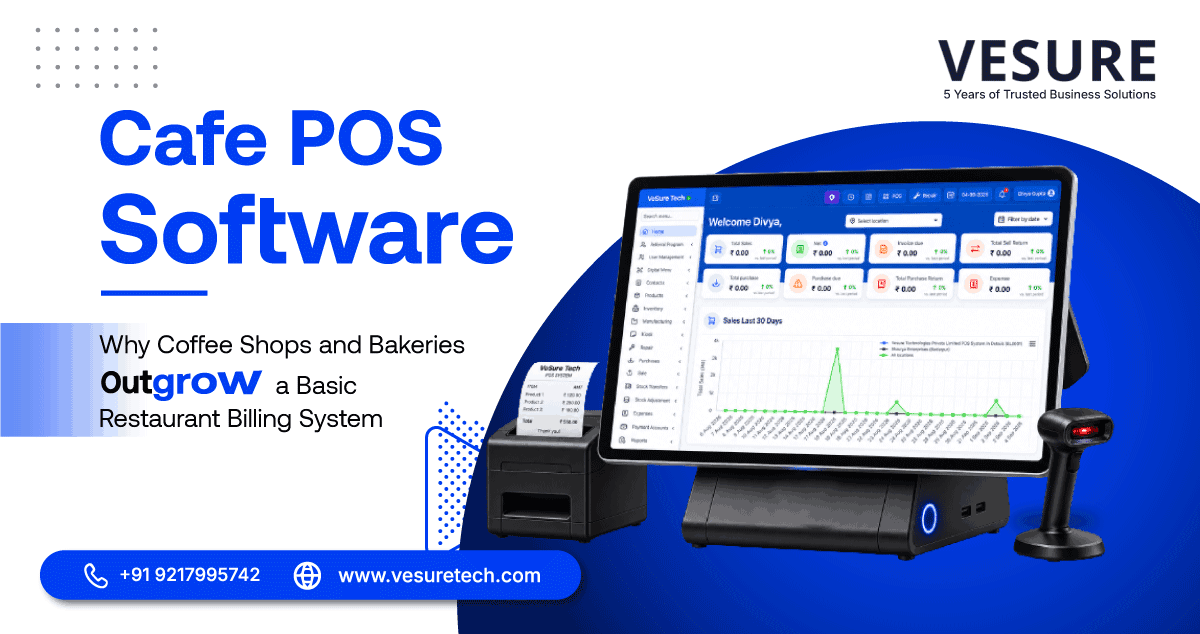
VeSure POS, a cafe point of sale built specifically for this hybrid service model, supports flexible modifiers as a structured part of the order entry — milk type, sugar level, size, add-ons — so what the customer asked for reaches the kitchen or counter exactly as specified, without relying on handwritten notes or staff memory. Quick counter billing is available as a direct flow for grab-and-go customers, separate from the table-order process, so a coffee-and-pastry sale doesn't get routed through unnecessary steps designed for sit-down service.
Kitchen-ticket routing adapts to the order type, letting a cafe distinguish between orders that need immediate barista attention and those that can be prepared in the normal queue — useful during a morning rush where order complexity varies significantly from one customer to the next. And because this cafe POS software shares the same underlying platform as VeSure's restaurant and QSR billing, a cafe that later adds full breakfast or lunch service doesn't need to switch systems — the same POS scales with the format as it evolves.
Real Scenario: A Bakery-Cafe Handling a Morning Rush
Consider a bakery-cafe that serves fresh bread and pastries at a walk-up counter, alongside a small seating area for customers ordering coffee and breakfast plates. During the morning rush, a customer at the counter wants two croissants and a coffee to go — a thirty-second transaction that shouldn't require any table assignment. At the same time, a seated customer has ordered a breakfast plate that needs actual kitchen prep time.
With a cafe POS system built for this hybrid flow, the counter staff bills the quick order instantly without navigating a restaurant-style table flow, while the kitchen ticket for the seated customer's breakfast routes separately with its own prep timing. Forcing both order types through the same rigid KOT-first system — as many generic restaurant POS setups do — would slow down exactly the fast counter transactions that make up most of the shop's morning volume.
What to Look For in Cafe POS Software
- Table-free quick billing as a default option, not a workaround.
- Structured modifiers for common cafe customizations — milk type, sugar, size, add-ons.
- Flexible kitchen-ticket routing that distinguishes order complexity and urgency.
- Room to scale into full food service without switching systems later.
- Fast checkout at peak hours without unnecessary steps for simple orders.
7 Common Mistakes Café Owners Make When Buying POS Software
Most cafes don't get their billing system wrong on purpose — they get it wrong by optimizing for the wrong thing at the buying stage. Price, a friend's recommendation, or whatever the salesperson pushed hardest usually wins out over an honest look at daily workflow. Here's where that tends to go sideways.
- Choosing on Price Alone The cheapest cafe POS software on the shortlist often looks like the smart choice — until the missing pieces show up later as extra cost. No recipe costing, no real inventory tracking, and suddenly you're paying for a second tool or a lot more staff time just to cover the gap. Judge the total cost of running the system, not the number on the invoice.
- Treating Inventory as an Afterthought Inventory isn't a side feature — it's tied directly to your margins every single day. A cafe point of sale that only prints bills and has no idea what stock actually got used leaves you back to manual counts and guesswork, which defeats half the point of buying software in the first place.
- Skipping the Live Demo A features list or a brochure can't tell you how a system holds up during a Saturday morning rush. Push for a live demo and actually time the basics — ringing up a sale, changing an order, applying a discount — before you commit to anything.
- Picking Software That Can't Grow With You If a second or third outlet is even a possibility down the line, check now whether the cafe POS system supports multiple locations and reporting that rolls up across them. Switching platforms after you've already expanded is expensive, disruptive, and usually happens at the worst possible time.
- Underrating Reporting A daily sales total tells you almost nothing on its own. What actually moves a business forward is reporting you can act on — spotting which items to drop from the menu, where food waste is creeping in, how to schedule staff more sensibly, and whether the business is genuinely trending up or just staying flat.
- Skipping Staff Permissions Not every team member should have the same access to discounts, voids, or reports. Role-based permissions and a basic activity log aren't about distrust — they're what makes it possible to spot mistakes early and keep the business accountable as the team grows.
- Ignoring Whether It Actually Fits Your Workflow Every cafe runs a little differently, and software that ignores that ends up fighting the staff instead of helping them. Before buying, it's worth asking a few blunt questions: Does this match how the counter and kitchen actually operate here? Will it make the daily routine simpler or just add another screen to manage? Can new hires pick it up in a shift or two?
The right choice usually isn't the system with the longest feature list — it's the one that fits how your cafe already runs.
Read more: Pharmacy POS Software in India
Why VeSure Was Built for Growing Cafés and Small Restaurants
At VeSure, we've spoken with restaurant owners who shared a common challenge: they were using separate tools for billing, inventory, reporting, and kitchen management — or relying on manual processes that consumed valuable time.
That's why VeSure brings these essential functions together in one platform.
With VeSure, you can:
Generate GST-compliant bills quickly. Manage dine-in and takeaway orders. Track inventory in real time. Calculate recipe costs. Send orders to the Kitchen Display System (KDS). Share bills with customers on WhatsApp. Monitor sales through the Owner Dashboard. Manage staff access and permissions. Access detailed business reports. Scale from a single café to multiple outlets.
Instead of spending time switching between different systems, you can focus on serving customers and growing your business.
Conclusion
Cafes and bakeries aren't smaller restaurants — they run a genuinely different order pattern, mixing quick counter sales with slower, kitchen-routed orders in the same short window. POS software that assumes every order needs a table and a full KOT flow works against exactly the service speed that makes a cafe function during its busiest hours. A purpose-built cafe POS system, rather than the best billing software for restaurant dining alone, is what actually keeps that speed intact.
Frequently Asked Questions
Why doesn’t standard restaurant POS work well for cafes?
Standard restaurant POS is typically built around a table-and-KOT flow suited to sit-down dining, which slows down the quick, table-free counter transactions that make up most cafe and bakery orders. This is why a dedicated cafe point of sale, rather than a general restaurant system, tends to fit better.
Can cafe POS software handle both counter service and seated orders?
Yes — POS software built for the cafe format, like VeSure POS, supports both quick table-free billing for grab-and-go customers and standard kitchen-routed orders for seated customers within the same system.
How do order modifiers work in cafe POS software?
Modifiers such as milk type, sugar level or size are entered as structured, selectable options rather than free-text notes, so kitchen or counter staff receive a clear, consistent ticket instead of relying on handwritten instructions.
Does cafe POS support delivery and pickup orders too?
Cafe-focused POS systems generally support pickup and call-in orders alongside dine-in and counter service, since hybrid order types are a defining feature of how cafes and bakeries actually operate.
Can a cafe upgrade to full restaurant service without changing POS systems?
With a POS platform built to scale, such as VeSure's shared retail-food-service architecture, a cafe adding full breakfast or lunch service can expand within the same cafe POS system rather than migrating to different software.
Get Started
If your billing system is forcing every quick counter sale through a slow restaurant-style flow, explore VeSure POS for cafes and bakeries or book a demo to see flexible cafe billing in action.