Managing employees becomes more complicated as a business grows. Employee records, attendance, payroll, leave, recruitment, and performance data all need to stay accurate and accessible, but the way that HR software is deployed can make a big difference to how easily a company manages all of it.
This is where businesses usually come across two options — cloud-based HR software and on-premise HR software.
Cloud-based systems are hosted by the software provider and accessed over the internet, while on-premise systems are installed and maintained on the company’s own infrastructure. Both approaches can support core HR processes, but they differ in cost, accessibility, maintenance, scalability, security, and IT requirements.
Quick Answer: Cloud-based HR software is generally easier to deploy, access, maintain, and scale because the software infrastructure is managed by the provider. On-premise HR software gives businesses greater direct control over their infrastructure and data environment but requires more internal responsibility for servers, updates, security, backups, and maintenance. The right choice depends on the company’s size, IT resources, security requirements, workforce structure, and long-term plans.
What Is Cloud-Based HR Software?
Cloud-based HR software is hosted on remote infrastructure and accessed through the internet instead of being installed directly on a company’s own servers.
Employees, managers, and HR teams can access the system through an authorized browser or application, depending on the platform.
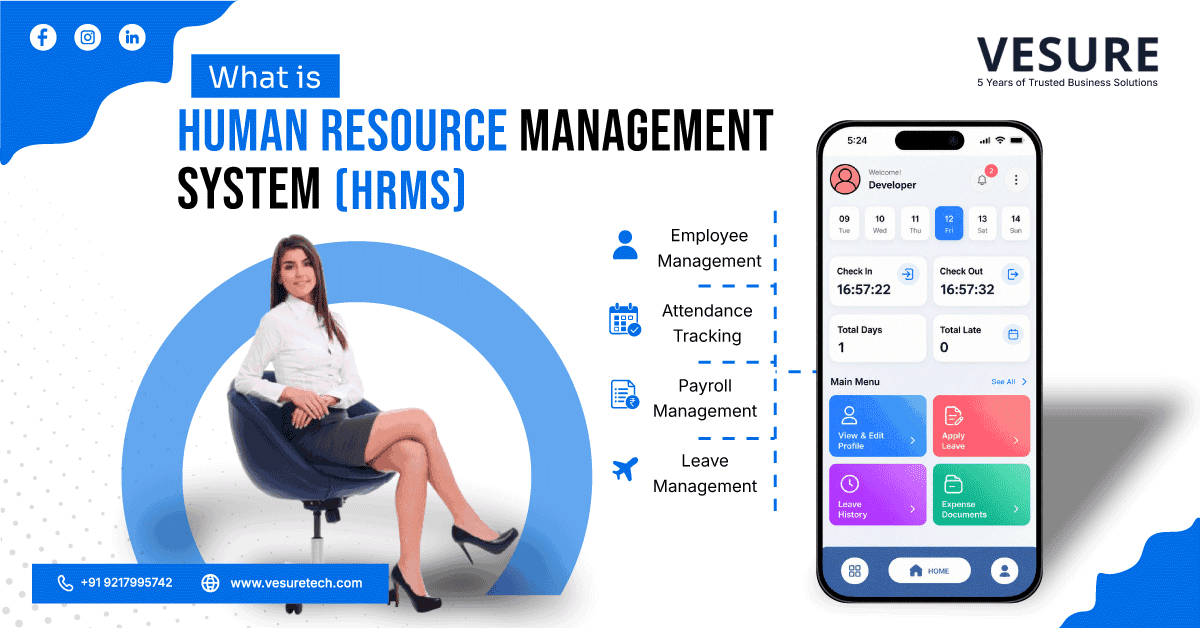
A cloud-based HR system can bring multiple HR activities into one place, including:
- Employee information
- Attendance management
- Leave management
- Payroll
- Recruitment
- Performance management
- Employee self-service
- HR reporting and analytics
The main difference is where the software infrastructure is hosted and who is responsible for maintaining it.
For businesses with multiple offices, remote employees, or growing teams, this model can make HR operations easier to manage because authorized users can access the system without being physically connected to the company's internal server network.
What Is On-Premise HR Software?
On-premise HR software is installed on the company’s own servers or internal infrastructure.
The organization is responsible for maintaining the hardware, operating environment, software updates, backups, security controls, and other technical requirements associated with running the system.
This approach gives the company greater direct control over its infrastructure and how the system is managed. However, that control also comes with additional responsibility.
Businesses using on-premise HR software may need internal IT resources to handle:
- Server maintenance
- Software installation
- Security updates
- Data backups
- System monitoring
- Troubleshooting
- Infrastructure upgrades
For organizations that already have substantial internal IT infrastructure and specific control requirements, on-premise deployment can still be a practical option.
Cloud-Based vs On-Premise HR Software: Key Differences
The biggest difference between the two models is not what HR processes they can support. Both can manage employee information, attendance, payroll, leave, and other HR activities.
The difference is how the software is deployed, maintained, accessed, and scaled.
|
Factor |
Cloud-Based HR Software |
On-Premise HR Software |
|
Deployment |
Hosted by the provider |
Installed on company infrastructure |
|
Initial investment |
Usually lower infrastructure investment |
Higher infrastructure investment |
|
Accessibility |
Accessible through authorized internet access |
Usually accessed through internal network or configured remote access |
|
Maintenance |
Mostly managed by provider |
Managed internally |
|
Updates |
Usually handled by provider |
Managed by internal IT team |
|
Scalability |
Easier to add users and expand |
May require additional infrastructure |
|
Security responsibility |
Shared between provider and customer |
Primarily managed by the organization |
|
Backups |
Usually provider-managed, depending on agreement |
Organization manages its own backup infrastructure |
|
IT requirement |
Lower internal infrastructure burden |
Greater internal IT involvement |
|
Customization |
Depends on provider and plan |
Greater infrastructure-level control |
1. Cost and Investment
Cost is one of the first things businesses consider when comparing cloud-based vs on-premise HR software.
Cloud-based HR software generally follows a subscription-based model. Instead of purchasing and maintaining servers specifically for the HR system, the business pays for access to the software based on its plan, users, modules, or other pricing factors.
This can reduce the initial infrastructure investment.
On-premise HR software usually requires more upfront investment. Businesses may need servers, licenses, installation, networking infrastructure, security systems, and IT resources before the system is fully operational.
There can also be ongoing costs for hardware replacement, maintenance, upgrades, and technical support.
The important point is that the total cost is not only the software license. Businesses should consider infrastructure, implementation, maintenance, IT support, upgrades, backups, and future expansion when comparing both models.
2. Accessibility
Modern businesses rarely operate from one desk or one office.
Employees may work from different branches, managers may need to approve requests remotely, and HR teams may need employee information while working outside the office.
Cloud-based HR software is designed around this type of accessibility. Authorized users can access the system through an internet connection without requiring the HR software to be physically installed on their computer.
This can be particularly useful for:
- Remote teams
- Hybrid employees
- Multiple offices
- Distributed HR teams
- Managers working outside the main office
On-premise HR software can also support remote access, but businesses may need to configure VPNs, remote desktop systems, or other infrastructure to provide it securely.
3. Implementation and Deployment
Deployment can become a major factor when a company is replacing an existing HR system.
Cloud-based software generally does not require the business to purchase and configure dedicated servers before implementation. The provider manages the underlying infrastructure, while the company focuses more on configuration, employee data migration, workflows, permissions, and user adoption.
On-premise deployment involves more infrastructure planning.
The company may need to prepare servers, configure the network, install the software, establish security controls, and test the environment before employees can start using the system.
For businesses without a large internal IT team, this difference can significantly affect implementation effort.
4. Maintenance and Software Updates
HR software does not remain static.
Payroll requirements change, security vulnerabilities are addressed, features are improved, and businesses often need new functionality as their workforce grows.
With cloud-based HR software, much of the infrastructure maintenance and software updating is handled by the provider.
The business still needs to manage its users, HR processes, permissions, and configuration, but it does not normally have to maintain the underlying servers itself.
With on-premise software, the organization takes greater responsibility for updates, patches, infrastructure maintenance, backups, and system monitoring.
This gives the business more direct control, but it also means more work for the internal IT team.
5. Scalability
A system that works for 100 employees may not work the same way when the organization reaches 500 or 1,000 employees.
Cloud-based HR software can generally scale more easily because the infrastructure is designed to support changing requirements. Adding users or expanding into additional locations can often be handled through the software plan and configuration rather than purchasing additional servers.
On-premise systems can also scale, but the organization may need to plan additional hardware, storage, networking capacity, licenses, and IT resources.
For growing businesses, scalability therefore becomes an important part of the technology decision.
6. Security and Data Control
Security is often one of the biggest questions when comparing cloud-based and on-premise HR software.
Cloud does not automatically mean less secure, and on-premise does not automatically mean more secure.
With a cloud system, security is a shared responsibility. The provider is responsible for securing its infrastructure and platform, while the customer remains responsible for areas such as account access, permissions, passwords, and appropriate use of the system.
With an on-premise system, the organization has greater direct control over the infrastructure, but it also has greater responsibility for protecting it.
That can include:
- Access controls
- Security monitoring
- Software patches
- Network protection
- Data backups
- Disaster recovery
- Server security
The right question is therefore not simply whether cloud or on-premise is more secure. Businesses should evaluate the provider's security practices, access controls, backup policies, compliance requirements, and internal IT capabilities before making a decision.
7. Customization and Control
Different organizations have different HR workflows.
Some businesses need standard employee management, attendance, leave, and payroll processes. Others may require highly customized workflows, integrations, reporting structures, or infrastructure configurations.
On-premise HR software can provide greater control over the underlying environment because the organization manages the infrastructure directly.
Cloud-based HR software can also offer customization, but the available options depend on the provider and the specific platform.
For most businesses, it is useful to identify the exact customization requirements before assuming that on-premise deployment is necessary.
8. Integration With Other Business Systems
HR rarely works in isolation.
Employee information may need to connect with payroll, finance, attendance systems, biometric devices, recruitment platforms, or other business applications.
Cloud-based HR software can simplify integration when the platform provides APIs and ready-made integrations.
On-premise HR software can also integrate with other systems, but the company may need to manage the infrastructure and technical connections internally.
Before selecting an HR system, businesses should check whether it can integrate with the applications they already use.
9. Remote and Hybrid Workforce
The way employees work has changed significantly.
When employees and managers work from different locations, HR teams need systems that can be accessed without depending entirely on a physical office network.
Cloud-based HR software supports this model naturally because the system is accessed online.
Employees can potentially submit leave requests, view documents, check attendance information, and complete other HR activities without visiting the HR department physically.
For organizations with multiple branches or hybrid teams, this can reduce administrative dependency on one location.
10. Business Continuity and Backups
HR data is too important to depend on a single computer or server.
Employee records, payroll information, attendance history, leave data, and other HR information need appropriate backup and recovery processes.
Cloud providers typically manage infrastructure-level backups and recovery according to their service architecture and agreement.
With on-premise HR software, the organization needs to establish and maintain its own backup and disaster-recovery processes.
Businesses evaluating either model should therefore ask a simple question:
What happens to our HR data if the primary system becomes unavailable?
The answer should be clear before implementation.
Which HR Software Deployment Model Is Right for Your Business?
There is no single deployment model that fits every organization.
The right choice depends on how your company operates today and what you expect it to look like in the next few years.
Cloud-Based HR Software Makes Sense When:
- You want to minimize infrastructure investment
- Employees work across multiple locations
- Managers need remote access
- Your business is growing quickly
- You do not want to maintain HR servers internally
- You want provider-managed updates and maintenance
- You need to scale users or locations easily
- Your IT team is small
On-Premise HR Software Makes Sense When:
- You require direct control over your infrastructure
- Your organization already has substantial IT infrastructure
- You have an internal team capable of maintaining the system
- Your business has specific infrastructure requirements
- You need extensive control over system configuration
- Your organization has specific data-management requirements that need to be evaluated carefully
The decision should be based on actual operational requirements rather than choosing a deployment model simply because it is more popular.
What Features Should You Look For in HR Software?
Whether you choose cloud-based or on-premise deployment, the software itself still needs to support your HR processes.
A modern HR system should ideally provide features such as:
- Employee information management
- Attendance tracking
- Leave management
- Payroll processing
- Recruitment and onboarding
- Employee self-service
- Performance management
- HR analytics and reporting
- Role-based access
- Workflow automation
- Mobile or remote access
- Integration capabilities
The deployment model determines how the software is hosted and managed. The features determine how effectively it supports your HR team.
Both need to be evaluated separately.
A Simple Checklist Before Choosing HR Software
Before making a decision, ask these questions:
- How many employees do we currently manage?
Consider both current requirements and expected growth. - Where are our employees located?
Multiple offices and remote employees can change accessibility requirements. - How much IT infrastructure do we already have?
On-premise deployment requires greater technical involvement. - Who will manage updates and maintenance?
Make sure this responsibility is clearly understood before implementation. - What security and data requirements do we have?
Review access controls, backups, infrastructure, and applicable compliance requirements. - Which systems need to be integrated?
Check whether the HR software can connect with payroll, attendance, finance, recruitment, and other systems. - How quickly do we expect the business to grow?
A system should support future requirements instead of only solving today's problems.
Answering these questions makes the decision much more practical.
Why VeSure HRMS Fits Modern HR Operations
VeSure HRMS is designed to help businesses manage core HR processes through a centralized platform.
Instead of managing employee information, attendance, leave, and other HR activities across disconnected tools, businesses can bring these processes together and give HR teams a more structured way to manage everyday operations.
For organizations looking to reduce manual HR work and improve visibility across employee processes, a centralized HRMS can provide a more connected approach to HR management.
Conclusion
The choice between cloud-based and on-premise HR software ultimately comes down to control, accessibility, infrastructure, scalability, and the way your business operates.
Cloud-based HR software reduces the need for businesses to manage their own HR infrastructure and can make remote access, updates, and scaling easier. On-premise HR software provides greater direct control over the infrastructure but also requires the organization to take responsibility for maintenance, security, backups, and upgrades.
Neither model should be selected simply because it is the latest or most common option.
The better approach is to look at your employee structure, IT resources, security requirements, integration needs, and growth plans — and then choose the deployment model that fits those requirements.
Frequently Asked Questions
What is the difference between cloud-based and on-premise HR software?
Cloud-based HR software is hosted on infrastructure managed by the software provider and accessed through the internet. On-premise HR software is installed and maintained on the organization's own infrastructure. The main differences are infrastructure ownership, maintenance, accessibility, scalability, and IT responsibility.
Is cloud-based HR software more secure than on-premise HR software?
Security depends on how the system and infrastructure are designed and managed. Cloud providers can provide strong security controls, while on-premise systems give organizations more direct infrastructure control. Businesses should evaluate access controls, encryption, backups, monitoring, and security responsibilities before choosing either model.
Is cloud-based HR software suitable for small businesses?
Yes. Cloud-based HR software can be useful for small businesses because it generally reduces the need to purchase and maintain dedicated HR infrastructure. It can also provide access to HR processes as the business grows.
Can on-premise HR software be accessed remotely?
Yes, but remote access generally requires additional infrastructure and security configuration, such as VPN or other controlled remote-access methods. The exact setup depends on the organization's IT environment.
Which is easier to maintain: cloud-based or on-premise HR software?
Cloud-based HR software generally requires less infrastructure maintenance from the customer because the provider manages much of the underlying environment. With on-premise HR software, the organization is responsible for maintaining servers, updates, backups, and other infrastructure.
Can cloud-based HR software integrate with payroll and attendance systems?
Yes, depending on the HR platform. Businesses should check whether the software provides APIs, integrations, or other connectivity options for payroll, attendance, finance, recruitment, and other systems they already use.
Can a business switch from on-premise HR software to cloud-based HR software?
Yes. Businesses can migrate from on-premise systems to cloud-based platforms, although the migration process may involve employee-data preparation, system configuration, integration, testing, and user training.
Get Started
If your business is evaluating different HR software deployment options, explore VeSure HRMS to see how a centralized HR platform can simplify employee management, or contact us to discuss your HR requirements.