Most businesses don't struggle with POS because they can't process a sale. They struggle because the sale is only one part of what happens after a customer walks out.
That transaction also needs to update inventory, record revenue, apply the right tax, track the employee who made the sale, update the customer's history, and eventually appear in a report someone can actually use. When those jobs happen in separate systems, the billing counter becomes another source of manual work instead of removing it.
Quick Answer: A modern POS system should do more than process payments. The essential POS system features include fast billing, barcode scanning, payment processing, real-time inventory management, customer management, sales reporting, employee controls, multi-store management, security, integrations, and reliable access. For Indian businesses, GST-ready billing and support for digital payments are also important considerations. The right POS software is the one that handles the operations your business actually needs today while giving you room to add locations, products, users, or sales channels later.
What Is a POS System?
A Point of Sale (POS) system is the software and hardware businesses use to process sales and manage the information generated by those transactions.
The basic job is simple: select a product, calculate the amount, take payment, and issue a receipt.
Modern POS software goes much further. It can connect billing with inventory, customer records, employee activity, reporting, purchasing, and multiple stores. That means one transaction can update several parts of the business without someone entering the same information again.
A Point of Sale system can therefore become the operational hub for a retail store rather than simply replacing the cash register.
POS System Features Every Business Should Look For
Not every business needs every POS feature. A single retail store has different requirements from a supermarket chain or a business selling both online and through physical outlets.
The important question isn't how many features a POS vendor can put on a comparison sheet. It's whether the system handles the processes that currently consume your team's time.
Here are the features worth evaluating.
1. Fast Billing and Checkout
The first requirement is still the most obvious one: billing needs to be fast.
Customers shouldn't have to wait while staff search through complicated menus or manually calculate discounts. A good POS checkout should make common transactions quick while still giving staff enough flexibility to handle exceptions.
Look for:
- Quick product search
- Barcode scanning
- Touch-friendly checkout
- Automatic price and tax calculations
- Discount and promotion management
- Digital and printed receipts
- Multiple payment options
- Returns and refunds from the transaction screen
A faster checkout matters particularly during peak hours, when a few extra seconds per transaction can turn into a queue.
2. Barcode and Product Management
A POS system becomes difficult to manage when every product has to be entered and identified manually.
Barcode scanning allows staff to retrieve product information quickly and reduces typing errors. For larger product catalogs, the system should also make it easy to manage SKUs, product variants, categories, prices, and other product information.
Depending on the business, you may also need:
- Barcode scanner integration
- SKU management
- Product variants
- Bulk product updates
- Multiple pricing levels
- Product categories
- Product images
- Weight-based products
This becomes particularly important for supermarkets, fashion retailers, pharmacies, electronics stores, and businesses carrying hundreds or thousands of products.
3. Real-Time Inventory Management
Billing and inventory shouldn't be two separate activities.
When a product is sold, the available stock should update automatically. When something is returned, transferred, or adjusted, inventory should reflect that change too.
A POS system with inventory management should help you:
- View current stock levels
- Identify low-stock products
- Track fast- and slow-moving items
- Manage stock across locations
- Record stock transfers
- Track purchases and replenishment
- Monitor inventory adjustments
- Reduce overstocking and stockouts
The benefit isn't simply having another inventory screen. It's having inventory information connected directly to actual sales.
4. Returns, Refunds and Exchanges
A POS system that handles only successful sales is incomplete.
Retail businesses regularly deal with returns, exchanges, cancellations, refunds, and billing corrections. Those transactions need to update both sales records and inventory correctly.
A good POS should allow authorized staff to:
- Locate previous transactions
- Process returns and exchanges
- Issue refunds according to business rules
- Return items to inventory where appropriate
- Record the reason for a return
- Restrict refund permissions by employee role
This creates a clearer transaction history and reduces the risk of manual adjustments outside the POS.
5. Multiple Payment Methods
Customers don't all want to pay in the same way.
A modern POS should support the payment methods relevant to your customers and business model, such as:
- Cash
- Credit and debit cards
- UPI
- QR-based payments
- Digital wallets
- Other supported digital payment methods
The important point is integration. Payment information should be associated with the transaction automatically rather than requiring staff to maintain a separate record.
6. GST-Ready Billing
For businesses operating in India, tax handling is an important part of POS selection.
A POS should be able to generate invoices using the applicable GST information and maintain the product and tax details needed for accurate billing and reporting.
Depending on your business, check whether the system supports:
- GST-ready invoices
- Applicable tax rates
- HSN/SAC information where relevant
- Tax-inclusive or tax-exclusive pricing
- Credit and debit notes where applicable
- GST-related reporting
- Integration with accounting or ERP workflows
Don't assume that a product labelled "GST compliant" handles every requirement your business has. Ask the vendor to demonstrate the actual billing and reporting workflow you will use.
7. Customer Management and Loyalty
Every transaction contains useful customer information, but only if the POS captures it in a structured way.
Customer management features can store information such as contact details, purchase history, and transaction records. This can then support loyalty programs and more relevant offers.
Depending on the system, you may be able to:
- Create customer profiles
- View purchase history
- Manage loyalty points
- Create rewards
- Apply customer-specific offers
- Issue digital receipts
- Identify repeat customers
A POS therefore becomes more useful when it helps answer not only "What did we sell?" but also "Who is buying from us and what do they usually purchase?"
8. Sales Reports and Analytics
A business owner shouldn't have to wait until the end of the month to understand what's happening at the counter.
Reporting features can turn transaction data into useful information about:
- Daily and monthly sales
- Product performance
- Sales by category
- Peak sales periods
- Payment methods
- Discounts
- Returns
- Employee sales
- Store performance
- Inventory movement
More advanced POS analytics can combine sales and inventory information to show which products are moving quickly, where stock is building up, and how different locations are performing.
The important distinction is between having reports and having reports that help someone make a decision.
9. Multi-Store Management
A single store can often operate with a relatively simple POS setup.
Three, five, or twenty stores create a different problem.
At that point, you need to see sales, stock, pricing, and performance across locations without collecting separate files from every outlet.
A multi-store POS system can provide:
- Centralized product management
- Store-level sales reports
- Consolidated reporting
- Location-wise inventory
- Stock transfers between stores
- Centralized pricing
- User and employee controls
- Branch-level performance tracking
This is one of the features that becomes increasingly important as a retail business expands.
10. Cloud Access
A cloud-based POS system allows authorized users to access business information without being physically present at the billing counter.
That means an owner can check sales from another location, a manager can review inventory remotely, and head office can monitor multiple branches from one system.
Cloud access becomes particularly useful when the business has:
- Multiple outlets
- Remote managers
- Centralized operations
- Mobile teams
- Owners who need visibility outside the store
But cloud access should not be confused with automatically having every capability available during an internet outage.
11. Offline POS Capability
Internet connectivity isn't always perfect.
For a business where billing cannot simply stop when the connection drops, offline functionality can be an important POS feature.
If a vendor claims to support offline billing, ask exactly what works offline:
- Can staff create new sales?
- Can they accept payments?
- Are receipts generated?
- Are inventory changes stored locally?
- How does synchronization happen after reconnection?
- What happens if the same record changes in two places?
A good offline workflow should make the transition back to online operation predictable rather than creating another reconciliation problem.
12. Employee Management and Permissions
Not every employee should have access to every POS function.
A cashier may need to create sales but shouldn't necessarily be able to change product prices, delete transactions, or approve refunds.
POS employee management can include:
- User accounts
- Role-based permissions
- Cashier activity
- Sales by employee
- Shift management
- Refund authorization
- Discount permissions
- Transaction history
These controls improve accountability and make it easier to identify where a transaction or adjustment originated.
13. Supplier and Purchase Management
Inventory doesn't begin at the billing counter. It starts when the business purchases stock.
For retailers with significant purchasing activity, supplier management can make the POS more useful by connecting sales information with replenishment.
Depending on the system, you may be able to manage:
- Supplier records
- Purchase orders
- Goods received
- Purchase costs
- Stock replenishment
- Supplier-wise purchases
- Outstanding purchase information
This reduces the gap between "we are running low" and "someone needs to order more."
14. E-Commerce and Omnichannel Integration
Many retailers now sell through more than one channel.
A customer might discover a product online, purchase it through an e-commerce store, return it at a physical outlet, and interact with the brand again through another channel.
Without integration, every channel can develop its own customer, inventory, and order records.
POS integrations can help connect:
- Physical stores
- E-commerce websites
- Online orders
- Inventory
- Customer profiles
- Order fulfillment
For businesses selling both online and offline, this can be more important than having dozens of minor POS features.
15. Integration With Accounting, ERP and Other Business Tools
A POS shouldn't become another isolated database.
Businesses often already use accounting software, ERP, HRMS, e-commerce platforms, CRM tools, payment systems, or other operational software.
Integration can reduce duplicate data entry by allowing information to move between systems.
For example, sales data can feed accounting, while inventory information can connect with purchasing or ERP workflows.
The exact integrations available vary by vendor, so don't assume that a system will integrate with your existing software just because the product page says "integrations."
Ask which systems are supported and what information actually syncs between them.
16. Security and Audit Trails
POS systems handle commercially sensitive information, and some also process customer and payment-related data.
Security features worth checking include:
- User authentication
- Role-based permissions
- Secure payment processing
- Data encryption
- Automatic updates
- Backup procedures
- Transaction logs
- Audit trails
An audit trail is particularly useful because it allows management to see who performed a particular action and when.
Security isn't just about preventing outside attacks. It's also about controlling what internal users can change.
17. Automatic Updates and Scalability
The POS you choose today may need to support a much larger business later.
Before selecting a system, ask what happens when you:
- Add another outlet
- Add more billing counters
- Increase your product catalog
- Add more employees
- Start selling online
- Need more advanced reporting
A scalable POS should allow the business to grow without requiring a complete system replacement every time the operation becomes more complex.
Automatic updates can also reduce the operational burden of manually maintaining software, although businesses should still understand how updates are tested and deployed.
Which POS Features Matter Most for Different Businesses?
There isn't one feature list that fits every business.
For Retail Stores
Prioritize:
- Fast billing
- Barcode scanning
- Inventory management
- GST-ready billing
- Customer management
- Returns and exchanges
- Sales reports
For Supermarkets and Grocery Stores
The priorities shift toward:
- Barcode and SKU management
- High-speed checkout
- Weight-based products
- Inventory tracking
- Batch or expiry management where relevant
- Multi-store inventory
- Supplier management
- GST-ready billing
For Restaurants and Cafés
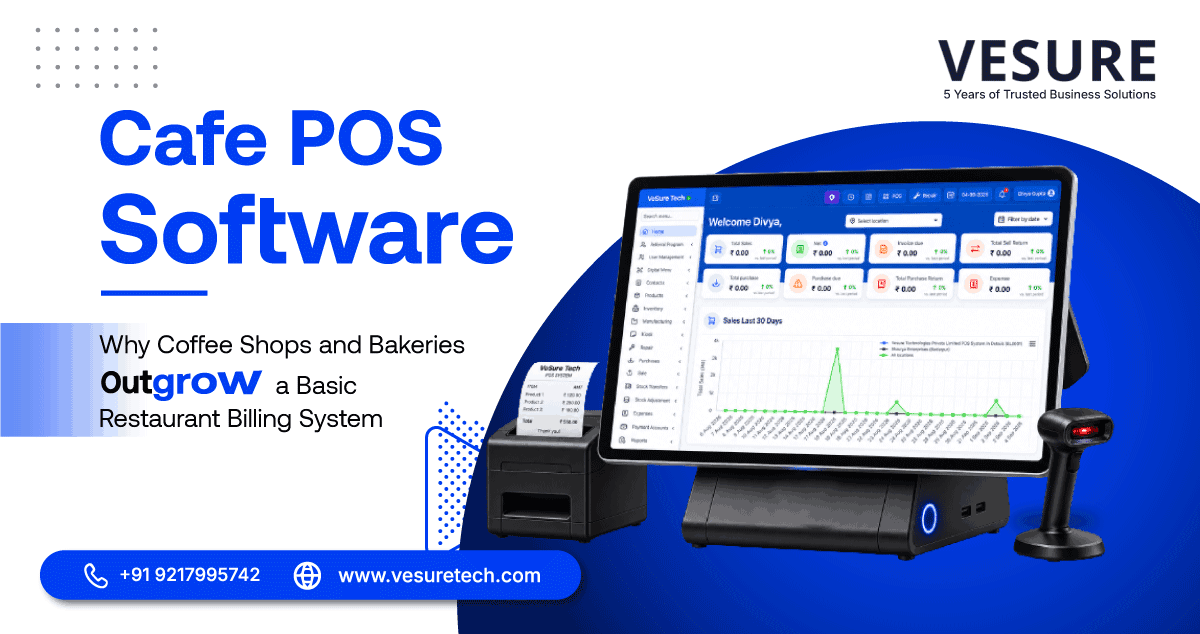
Cafe POS Software needs to handle a different workflow:
- Fast order entry
- Table management
- Multiple payment methods
- Kitchen/order workflows where applicable
- Menu management
- Discounts and promotions
- Sales reporting
- Multi-outlet management
For Multi-Store Businesses
The most important capabilities are usually:
- Centralized product management
- Multi-location inventory
- Consolidated reporting
- Stock transfers
- Centralized pricing
- Employee permissions
- Cloud access
- Integrations
The point isn't to find the POS with the longest feature list. It's to identify the features that remove the most manual work from your particular operation.
How to Choose the Right POS System
Start with the problems rather than the product brochure.
Before buying POS software, ask:
- How many transactions do we process each day?
- How large is our product catalog?
- Do we need barcode or weighing-scale integration?
- How many stores do we operate?
- Do we need GST-ready billing?
- What payment methods do our customers use?
- What happens if the internet goes down?
- Do we need customer loyalty or CRM features?
- Which accounting, ERP or e-commerce tools need to connect?
- What reports does management actually need?
- Which employees should have access to refunds, discounts and pricing?
- How will the system scale if we open more locations?
Then test those workflows during the demo.
Don't only ask the vendor to show you a successful sale. Ask them to demonstrate a return, a stock transfer, a discount approval, a low-stock situation, a failed internet connection, a multi-store report, and the exact invoice format your business needs.
That's where the differences between POS systems usually become obvious.
How VeSure POS Fits These Requirements
VeSure POS is designed to bring billing, inventory, customer management, reporting, and store operations into one connected POS environment.
For businesses operating multiple locations, the system can help centralize sales and operational visibility rather than requiring every outlet to maintain completely separate information.
The important part isn't simply having a long list of POS features. It's having the features work together.
A sale should connect to inventory. Customer information should stay connected to transactions. Store performance should be visible through reporting. And as the business grows, the POS should continue supporting additional users, products, and locations rather than becoming another system the business eventually has to replace.
Real Scenario: A Retailer Growing From One Store to Three
Consider a retailer that started with one outlet and basic billing software.
At one store, the setup works. Sales are recorded, stock is checked manually, and the owner reviews the numbers at the end of the day.
Then the second store opens.
Now inventory needs to be tracked separately. Prices need to stay consistent. The owner needs to compare sales between locations. Stock may need to move from one store to another.
The third outlet adds another layer of the same problem.
Nothing is necessarily broken at any individual store. The problem is that every new location adds another set of information someone has to consolidate.
A POS with multi-store management, centralized inventory, cloud access, and consolidated reporting changes that workflow. The owner can work from one connected system instead of rebuilding the picture from three separate ones.
That's the point where POS software stops being just a billing tool and starts becoming an operating system for the retail business.
POS System vs. Traditional Billing Software
Traditional billing software generally focuses on recording a transaction and generating an invoice.
A modern POS system can connect that transaction to the rest of the business.
|
Capability |
Basic Billing Software |
Modern POS System |
|
Billing |
Yes |
Yes |
|
Payment management |
Basic |
Multiple payment options |
|
Inventory |
Limited or separate |
Real-time integration |
|
Customer profiles |
Limited |
Built-in customer management |
|
Loyalty |
Usually limited |
Available in many systems |
|
Reporting |
Basic |
Sales and operational analytics |
|
Employee controls |
Limited |
Roles and permissions |
|
Multi-store |
Often limited |
Centralized management |
|
Cloud access |
Depends on system |
Common in modern platforms |
|
Integrations |
Limited |
Accounting, ERP, e-commerce and other integrations |
The distinction isn't that traditional billing software is useless. A small business with straightforward requirements may not need everything a modern POS offers.
The question is whether the business has reached the point where billing needs to connect with everything around it.
Final Thoughts
A POS system should do more than record sales.
The useful POS system features are the ones that remove work after the transaction happens: inventory updates automatically, customer records stay connected, reports are available without manual spreadsheets, employees have the right permissions, and multiple stores can be managed from one place.
For an Indian business, GST-ready billing, digital payment support, inventory visibility, and multi-store management can be particularly important depending on the business model.
You don't need every feature on the market. You need the features that solve the problems your business is already experiencing and enough flexibility to handle the next stage of growth.
The best POS system isn't necessarily the one with the longest feature list. It's the one that makes the daily operation simpler without creating another system someone has to manage.
Frequently Asked Questions
What are the most important POS system features?
The most important POS system features usually include fast checkout, payment processing, inventory management, reporting, customer management, employee permissions, security, and integrations. Retailers may also need barcode scanning, GST-ready billing, multi-store management, and returns management.
What features should I look for in retail POS software?
Retail businesses should look for fast billing, barcode scanning, real-time inventory, GST-ready invoicing, returns and exchanges, customer loyalty, sales reporting, employee permissions, and multi-store capabilities. The right combination depends on the size and complexity of the business.
Does POS software manage inventory?
Many modern POS systems include inventory management. They can update stock when products are sold or returned, show low-stock levels, manage products across locations, and provide inventory reports. Businesses should check exactly which inventory functions are included in the POS plan.
Can a POS system work without the internet?
Some POS systems support offline functionality, but capabilities vary significantly. Before choosing one, ask what transactions can be completed offline, how data is stored, and how transactions synchronize when the connection returns.
Does POS software support GST billing in India?
Many POS systems designed for Indian businesses support GST-ready billing, but the exact capabilities vary. Before choosing a system, verify support for the GST invoice format, applicable tax information, HSN/SAC requirements where relevant, and any reporting or integration requirements your business has.
Can POS software manage multiple stores?
Yes. Multi-store POS systems can centralize sales, inventory, pricing, employee permissions, and reporting across locations. This becomes particularly useful when a business grows beyond one outlet and needs consolidated visibility.
Can POS software integrate with accounting software?
Many POS platforms provide integrations with accounting, ERP, e-commerce, CRM, payment, and other business systems. Check the specific integration and what data it synchronizes before choosing a POS.
Is POS software suitable for small businesses?
Yes. A small business doesn't necessarily need every advanced POS feature. Start with the functions that solve your current problems—billing, payments, inventory, reporting, and customer management—and choose a system that can scale if your business adds products, users, or locations.
Get Started
If billing, inventory, and store management are still being handled through separate tools, explore VeSure - best software company to see how a connected POS system can bring those operations together.
The goal isn't to add more software to the business. It's to remove the manual work that shouldn't be there in the first place.